
We’ve put together a handy list to help you decipher some of those confusing design terms -just take a look below!
A
Alignment – Positioning of text along a reference line.
AI – File format created by Adobe Illustrator.
B
Baseline Grid – Positioning of text along horizontal lines giving a uniform appearance.
Bleed – Extra part of artwork that goes beyond the trim size of the final piece. This allows trimming within the artwork.
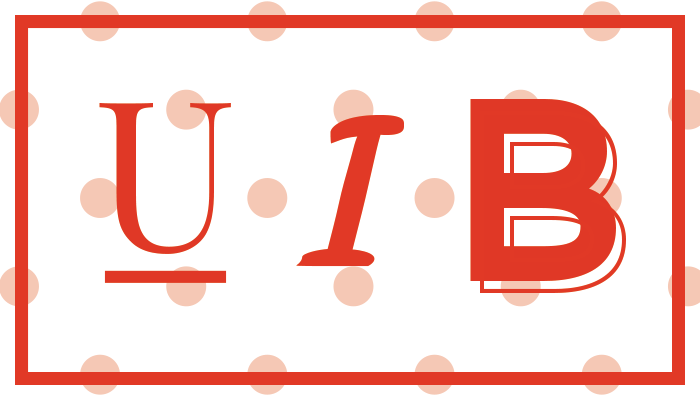
Bold – A font weight with a heavier appearance, compared to its regular version.
Branding – The marketing practice of creating a name, symbol or design that identifies and differentiates a company from other companies.
C
Coated Paper – Paper that has been coated to give it a particular finish, for example gloss.
CMYK – Cyan, Magenta, Yellow, Black. The four inks used in four colour printing.
Creep – When several pages are folded together and the inner pages ‘creep’ out and extend beyond the outer pages.
Crop Marks – Crossed lines placed on a document that indicate where the paper should be cut to produce the correct trim size.
D
Die Cut – A die cut is created using a die cut forme, a piece of wood with sharp metal pieces used for cutting out precision shapes from paper.
Digital Printing – A method of printing using laser or ink-jet printers.
DPI – Dots per inch.
Duotone – An image made up of two colours, usually involving black and another colour.
E
Embossing – Use of a mold to produce a raised area on printed material.
EPS – Encapsulated Postscript Vector – A file extension for a graphics file format used in vector-based images.
F
Flattened Artwork – Where separate layers of digital artwork have been compressed to produce one complete ‘layer’.
Foil Blocking – The use of foil to create a metallic finish on particular sections of printed material.
Font – The particular size and weight of letterform that is being used from a typeface.
Four Colour Printing – A method used for full colour printing using a combination of the four CMYK colours.
G
Gate Fold – A type of fold where the right and left edges fold inwards to the centre of the paper to create a ‘gate’ effect.
Gloss Laminated – A finish added using plastic film to give a gloss effect.
GSM – Grams per square metre. This refers to how much a piece of paper weighs per square metre. Generally, the higher the gsm, the thicker the paper is.
H
High Resolution Image – A good quality image with clarity and sharpness.
I
Imposition – The arrangement of pages for the printing process so that they print in the correct order.
INDD – A file extension used by Adobe InDesign.
Ink Coverage – The amount of ink added to the page during the printing process.
Italic – Where a particular letterform slopes towards the right.
J
JPG/JPEG – A compressed image file format.
K
Kerning – The spacing between each individual letter.
Knockout – When two images are printed together, the bottom section is automatically taken out.
L
Layered Artwork – Where various elements of artwork are digitally composed on different layers.
Leading – The spacing between each line of type.
Litho Printing – A traditional method of printing that uses a flat surface. An image is transferred onto this, with only the necessary areas being receptive to ink and therefore printable.
M
Matt Laminated – A finish added using plastic film to give a matt effect.
N
Negative Space – White spaced surrounding a design.
O
Offset – Undesirable transfer of wet ink from the top of one sheet to the underside of another as they lie in the delivery stack of a press.
Opacity – An element or objects particular level of transparency.
Overprint – Where further printed information is added to a document that has already been printed on.
P
Pantone – A set of spot colours that can each be referred to by a particular code.
Pixel – A particular dot of information that is part of a raster image.
Pixelated – A raster image that is low quality or has been stretched so that the pixels are visible.
PNG – Portable Network Graphic. A file type that does not lose quality when compressed.
Point – The size of text.
PSD – File extension created by Photoshop
Q
Quiet Space – Outer edges of the document. Information should avoid being placed here as printing variations mean that it could be missed of the final printed piece.
R
Raster Image – An image composed of lots of dots (or pixels) of information. Excellent for photographs, but images of this type cannot be stretched without a loss of quality.
Resolution – high res/low res – The sharpness or definition of a particular image. It also refers to the numbers of pixels in an image or on a monitor, with a higher number meaning a higher resolution and quality.
RGB – Red, Green, Blue, a colour model made up of light for use in digital/screen based output.
Rich Black – A black that in CMYK terms is 100% black and 40% cyan. It produces the richest black when printed.
Roll Fold – Where all paper folds are in the same direction as to create a rolled effect.
S
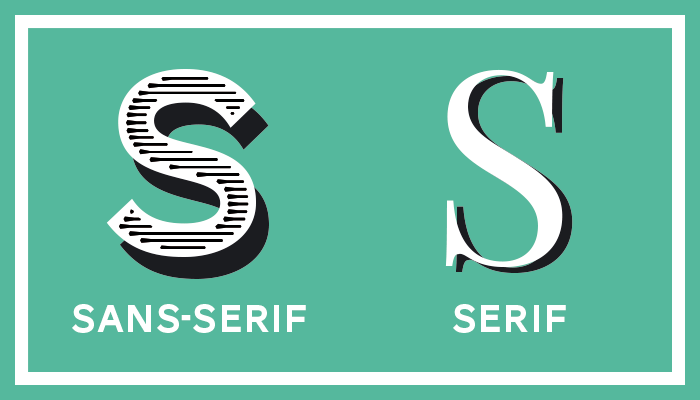
Sans serif – A typeface without serifs.
Serif – A typeface with smaller lines added to the end of the letter strokes.
Spot Colour – An ink that is already mixed to produce a particular colour rather than mixed during the printing process.
Spot UV – The application of a UV coating to a particular area of paper to give a high-gloss finish.
Stock Imagery – Stock images are pre-existing images that can be purchased (with certain licensing conditions) to be used.
T
TIFF – ‘Tagged image file format’. A file format that is used to store bitmap images.
Tracking – The spacing between letters in a line of text.
Trim Size – Size of printed material once it is finished.
Typeface – A particular letterform design that incorporates all the different weights and styles.
U
Uncoated Paper – Paper that hasn’t had a finish applied to it.
V
Vector Image – An image that is a combination points, lines and curves. Unlike a raster image, images of this nature can be stretched to larger sizes and still produce good results.
W
Wet Proof – The most accurate colour proof for a piece of print. Real printing ink and the necessary paper stock is used.
White Space – An absence of image and text within the artwork. It helps to give the page balance and not make it look too cluttered.
X
X-Height – Coordinates used in design software to indicate how far across a design element is placed on a page.
Y
Y-Height – Coordinates used in design software to indicate how down a design element is placed on a page.
Z
Z-Fold – A particular type of paper fold. It produces three sections resembling a ‘Z’ shape.
If you’ve got any more design questions why not contact us?
You can give us a call on 0161 941 4615 or email us at info@theagencycreative.co.uk